FileFlex
FileFlex automatically detects SD cards and manages transfers with a clean, powerful queue system. Built for creators.
Monitor transfers, verify files, and manage queues in a clean interface.
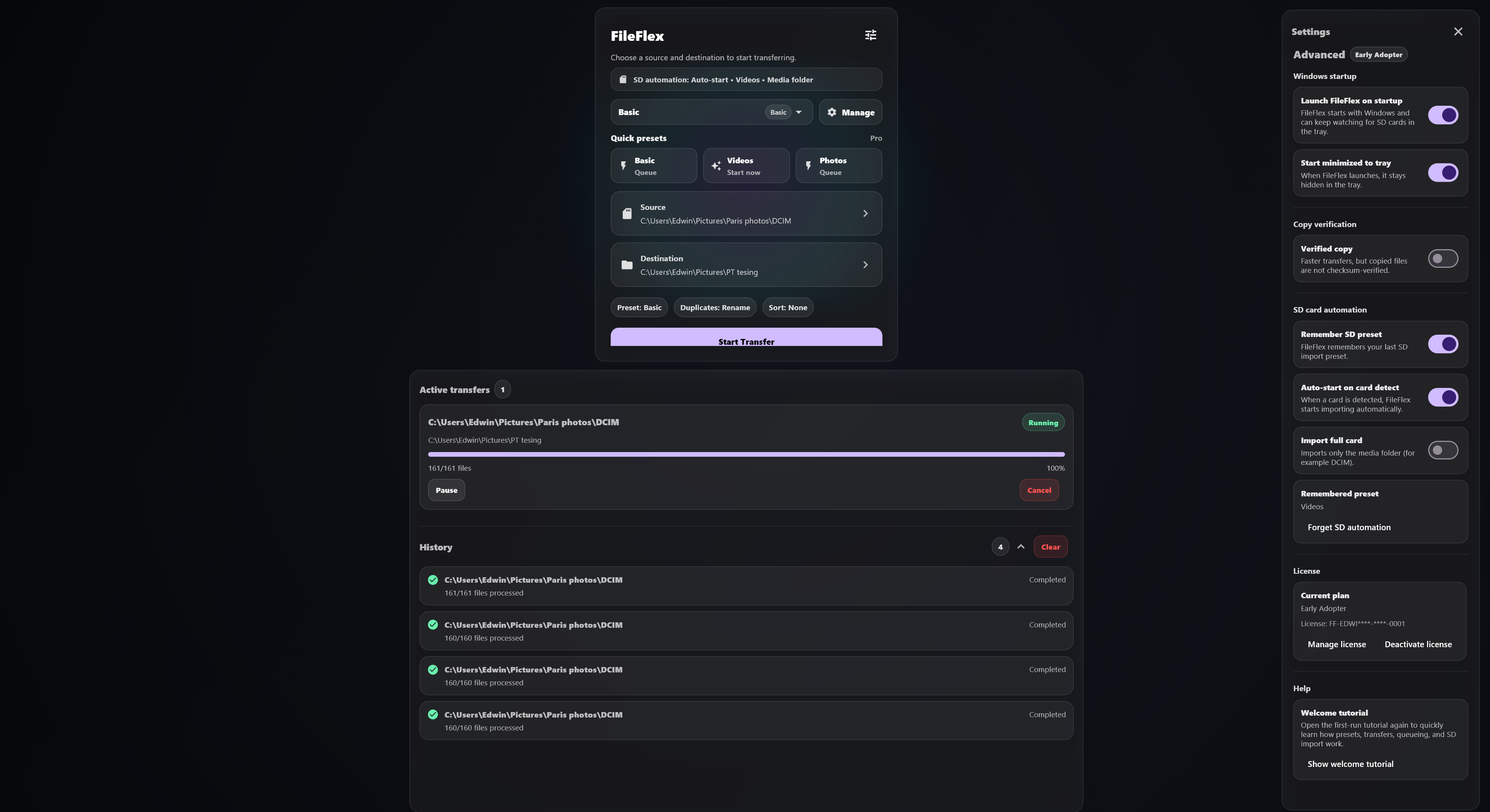
Instantly detects your SD card when plugged in.
Pause, resume and manage transfers without freezing your system.
Designed for creators who want speed without clutter.
FileFlex detects your media as soon as it is connected.
Start immediately or add transfers to a clean queue.
Your files move quickly with less manual sorting and less friction.
Quick answers before you download FileFlex.
Yes. FileFlex Free includes core transfers, queueing, duplicate handling, and the main interface so you can get started right away.
FileFlex Pro unlocks verified copy, advanced presets, quick presets, SD auto-import, and future workflow automation features.
After purchase, you’ll receive a FileFlex license key. Open FileFlex, go to Advanced, then License, and paste your key to activate Pro.
Yes. Verified copy is available in Pro and helps confirm copied files match the original source after transfer.
FileFlex is currently in beta for Mac. You can download the latest Mac beta from the download page.
Yes. If you’ve already bought Pro, you can use the recover license option on the website to resend your key to your purchase email.